Building a Question Bank and Online Test Platform for Schools and Coaching Institutes
In short
What a digital question bank and online test platform for classes 6–12 needs — structure by class and chapter, bulk import, worksheets and PDFs, tests, results and AI with review.
Teachers and coaching institutes create thousands of questions every year — in Word files, registers and WhatsApp groups. A digital question bank turns that scattered work into an organised asset that produces worksheets, test papers and online tests in minutes. I built Avani Academy, a question bank, PDF studio and online test platform for classes 6 to 12. These are the features that matter most.
Structure mirrors the syllabus
Every question should sit in a clear hierarchy — class, subject, book, chapter, exercise and topic — that matches how teachers already think about the syllabus, whether that follows NCERT textbooks for CBSE or a state board. With that structure, building a chapter test or a revision sheet becomes a filter, not a search.
Getting questions in quickly
No one will retype thousands of questions. Import has to be fast and forgiving.
- Bulk import from Excel with a simple template
- Photo import for printed or handwritten material, with a review step
- Import history, so a bad batch can be found and fixed
- Duplicate detection, because the same question gets added twice
- Categories and difficulty levels for filtering
Worksheets, booklets and PDFs
Most schools still print. A PDF studio that turns selected questions into formatted worksheets, booklets and answer keys — with the school's branding — saves teachers hours every week. Solution books can be generated from the same data.
Online tests
Online tests need a full lifecycle: create, save as draft, schedule, run live, and publish results. Students should be able to take tests on a phone. Results should be marked automatically for objective questions and stored per student for analysis.
Analytics teachers will actually use
Useful analytics answer specific questions: which students need help, which chapters the class finds hardest, which questions most students get wrong. Question-level analytics also reveal badly worded questions that should be fixed.
AI — with a human in the loop
AI can help draft questions, variations and explanations quickly. But generated content can contain errors, so everything AI produces should go into a review queue that a teacher approves before students see it. That keeps the speed without risking wrong answers in a test.
Designing the question data model
A question is more than its text. A useful data model stores the question, its type (multiple choice, fill in the blank, short answer, long answer), options and correct answer, marks, difficulty, explanation or solution, images, language, and its place in the syllabus hierarchy. Tagging questions by concept and difficulty is what later makes balanced papers and meaningful analytics possible.
- Question text and images (with support for equations where needed)
- Type, options and correct answer
- Marks, difficulty and estimated time
- Class, subject, book, chapter, exercise and topic
- Solution or explanation
- Source and review status
Building a balanced test paper
Teachers usually think in blueprints: so many marks from each chapter, a mix of easy, medium and hard, a set number of each question type. A good test builder lets them define that blueprint and then picks or suggests questions to match it — with the teacher free to swap any question. The same blueprint can generate several different versions of a paper to reduce copying.
Running online tests fairly
Practical measures help: shuffling question and option order, time limits, one attempt per student, auto-save of answers in case the connection drops, and scheduled start and end times. For objective questions, results can be published instantly; subjective answers go to the teacher for marking.
Student data and privacy
The platform holds data about children, so it deserves extra care: collect only what's needed, restrict access by role, keep parents informed, and follow India's Digital Personal Data Protection Act, 2023, which includes specific provisions for children's data.
Performance for large question banks
A bank with tens of thousands of questions needs proper database indexes on the syllabus fields, pagination and search that stay fast as the bank grows, and PDF generation that runs in the background so teachers aren't left waiting.
Who uses the platform, and how
An academy owner or administrator sets up classes, subjects and books, manages teachers and students, controls branding, and watches overall analytics. Teachers add and review questions, build worksheets and tests, and check results for their classes. Students take tests on their phones and see their results and weak areas. Parents may receive summaries. Designing screens around each of these roles — rather than one large interface — keeps the platform simple for everyone.
From question to printed paper in minutes
The workflow teachers value most is fast paper creation. Select the class and chapters, set the blueprint (marks, question types, difficulty mix), let the system suggest questions, swap any you don't want, and generate a formatted PDF with the academy's header, instructions and an answer key. Saving the paper keeps a record of which questions were used, so the same ones aren't repeated in the next test.
Import quality control
Bulk imports are where errors enter a question bank: wrong answers marked, garbled equations, questions attached to the wrong chapter. Every imported batch should go through a review step where a teacher can scan, correct and approve questions before they become available for tests. Duplicate detection at import time stops the bank filling up with near-identical copies.
AI features that actually help teachers
Useful AI features are narrow and reviewable: suggesting variations of an existing question, drafting explanations for answers, tagging questions with topics and difficulty, or converting a photographed page into editable text. Each output should arrive as a draft in a review queue. Teachers stay responsible for what students see, and the AI saves them time rather than creating new checking work.
Planning and budgeting a platform like this
A sensible first version covers the syllabus structure, question entry and Excel import, worksheet and test PDF generation, and basic online tests with results. Photo import, advanced analytics, AI features and parent reports can follow in later phases once teachers are using the core daily. Budget for hosting, storage for images and PDFs, any AI usage costs, and ongoing maintenance.
Board and syllabus changes
Syllabi change: chapters are added, removed or reorganised, and textbooks are revised. A flexible structure lets administrators update the hierarchy without losing questions — moving questions to a new chapter, archiving topics no longer taught, and keeping old papers intact for reference. Versioning books by academic year avoids mixing old and new syllabus content in the same test.
Mobile-first for students
Students take tests on their phones, often older Android devices on shared family connections. The test screen should load quickly, work in portrait mode, show one question at a time with clear navigation, save answers automatically as they're selected, and recover gracefully if the app is closed or the connection drops. Large tap targets and readable fonts matter more here than visual flourishes.
Measuring whether the platform helps
The real measure is teacher time saved and student learning. Track how long teachers spend creating papers before and after, how many tests are run each month, and whether students' scores improve on the chapters analytics flagged as weak. These numbers justify the investment and guide which features to build next.
Security for tests and results
Test papers must stay private until the test starts, and results must only be visible to the right people. That means role-based access checked on the server, scheduled release of papers, secure student logins, and audit logs of who viewed or changed tests and marks. Exported PDFs of upcoming tests should be restricted to teachers and administrators.
Build or buy?
Ready-made test platforms exist and suit institutes that are happy with their structure, question formats and branding options. A custom platform makes sense when you already own a large bank of questions, want your own branding throughout, need a structure that matches your syllabus and teaching method exactly, or want to add features such as AI with teacher review that off-the-shelf tools don't offer. The questions themselves are the institute's most valuable asset — whichever route you choose, make sure you can export them.
Getting started
If you're considering a platform like this, gather a sample of your existing questions in whatever form they exist — Word files, Excel sheets, printed papers — along with the classes, subjects and boards you teach, and the three tasks that take teachers the most time today. That's enough to scope a first version that teachers will actually use from day one.
Plan the first version around one class or subject to prove the workflow, then expand across the institute once teachers are comfortable.
Roles, branding and accountability
Administrators, teachers and students need different access. Academy branding on the platform and PDFs makes it feel like the institute's own product, and an audit log records who changed which questions — important when many teachers share one bank.
See it live: Avani Academy
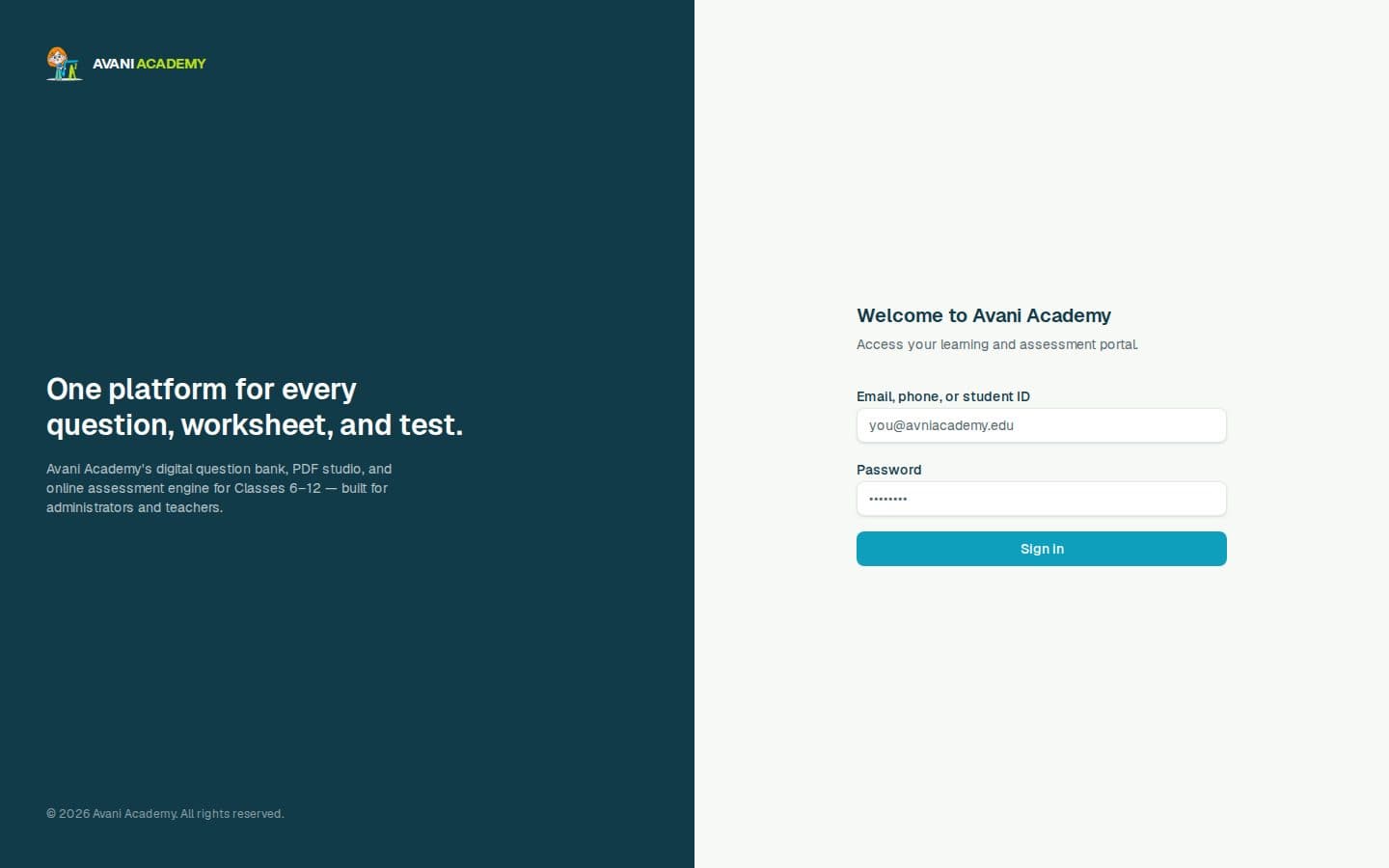
Avani Academy (avani.sbs) runs on this model and is now live: online maths tutoring for Grades 5–12 on the front, and behind the login a bank of about 50,000 questions with answers for classes 6 to 12, organised by class, subject, book, chapter, exercise and topic — turned into worksheets, booklets, PDFs and online tests, with an AI assistant whose drafts pass a review queue first.
Frequently Asked Questions
Can we import our existing questions from Word or Excel?
Yes. Excel import with a template is fastest; content from documents or printed pages can be brought in through import and review steps.
Does the question bank work for CBSE and state boards?
Yes. The class–subject–book–chapter structure can follow NCERT textbooks for CBSE or any state board syllabus.
Can students take tests on their phones?
Yes. The test interface should be designed for mobile first.
Is AI-generated content safe to use in tests?
Only after a teacher reviews it. A review queue ensures AI drafts are checked before students see them.
Can the platform carry our institute's branding?
Yes — on the platform and on generated worksheets, booklets and PDFs.
Can the platform create different versions of the same test?
Yes. From one blueprint, questions and options can be shuffled or varied to produce multiple versions of a paper.
What should the first version of a question bank platform include?
Syllabus structure, question entry and Excel import, worksheet and test PDF generation, and basic online tests with results. Advanced features can follow.
Should we build our own test platform or use a ready-made one?
Ready-made platforms suit standard needs. A custom platform makes sense if you own a large question bank, want full branding, or need a structure and features that match how you teach.
Key Takeaways
- Organise questions by class, subject, book, chapter and topic.
- Make import fast: Excel, photos, history and duplicate checks.
- Generate branded worksheets, booklets and PDFs from the bank.
- Support the full test lifecycle and mobile test-taking.
- Use AI for drafts, with teacher review before anything goes live.
Sources & further reading
- NCERT — NCERT
- Central Board of Secondary Education — CBSE
- PostgreSQL documentation — PostgreSQL Global Development Group
- Authentication cheat sheet — OWASP
- Usability 101: introduction to usability — Nielsen Norman Group
- Digital Personal Data Protection Act, 2023 — Wikipedia
Related work
Keep reading
Have a project that touches web apps & e-commerce? See Web apps & e-commerce development.
Get in touch