School Website and Portal: Admin, Teacher, Student and Parent Logins in One System
In short
A school website and a school portal shouldn't be two separate things. I'm building both for Chaitanya Public School in J K Pur, Rayagada: one public site for parents and admissions, and one portal with admin, teacher, student and parent logins that all read the same student record.
Most schools I talk to have a website that says who they are, and a separate app — or a register, or a WhatsApp group — for everything that actually happens: attendance, fees, results, notices. The two never talk to each other, so the same information gets typed three times. For Chaitanya Public School, a CBSE-curriculum school in J K Pur, Rayagada (Odisha), I'm building it the other way round: one public website and one school portal, sharing one source of truth. Here's how that's structured, what each login gets, and what a school should ask for before it pays for “a website”.
What the school needed
Chaitanya Public School teaches from Pre-Nursery onwards, follows the CBSE curriculum and puts strong basics — reading, writing and understanding — at the centre of its teaching. Its existing site, chaitanyapublicschool.in, already said that well. What it couldn't do was anything beyond being read.
Parents wanted admissions information and a way to enquire without calling. Teachers wanted one place for their classes. The office wanted fees and records in one system instead of several. That's the brief for a school portal, not just a website.
One public site, one portal, one student record
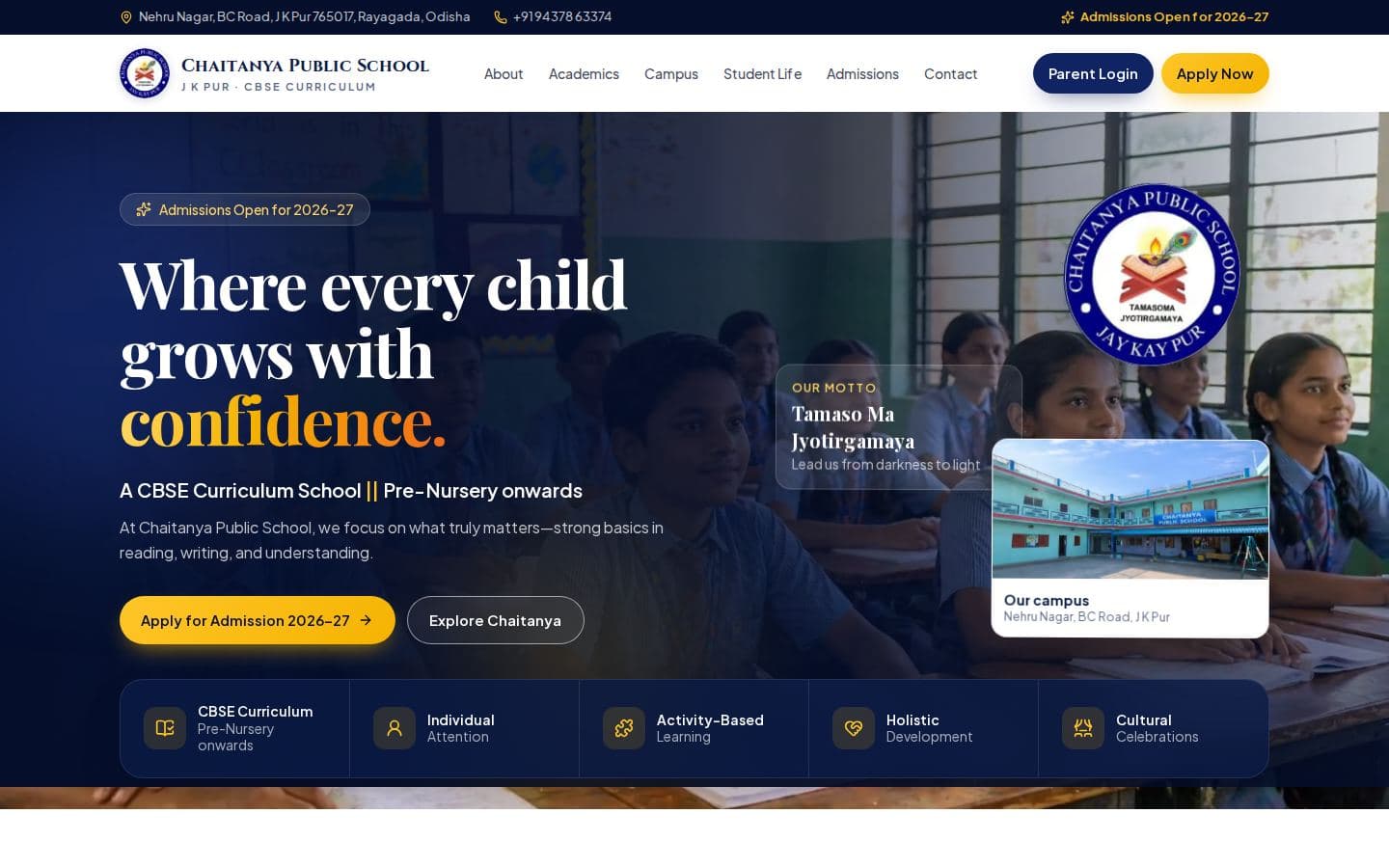
The public website covers About, Academics, Campus, Student Life, Admissions and Contact, with “Admissions open for 2026–27” and the school's motto, Tamaso Ma Jyotirgamaya, right on the home page. The admission enquiry and a Google Maps link to the campus are a tap away on every page.
Behind it, the portal is planned around a single student record. Each record flows into academics (classes, exams, results), fees and operations (attendance, events, transport) — and out through one reporting engine for the website, an app and PDF. Nothing is typed twice.
Four logins, four dashboards
The portal opens with a single login page where each person picks their role, and each role gets its own dashboard over the same records — classes, exams, results, fees, attendance, events and transport:
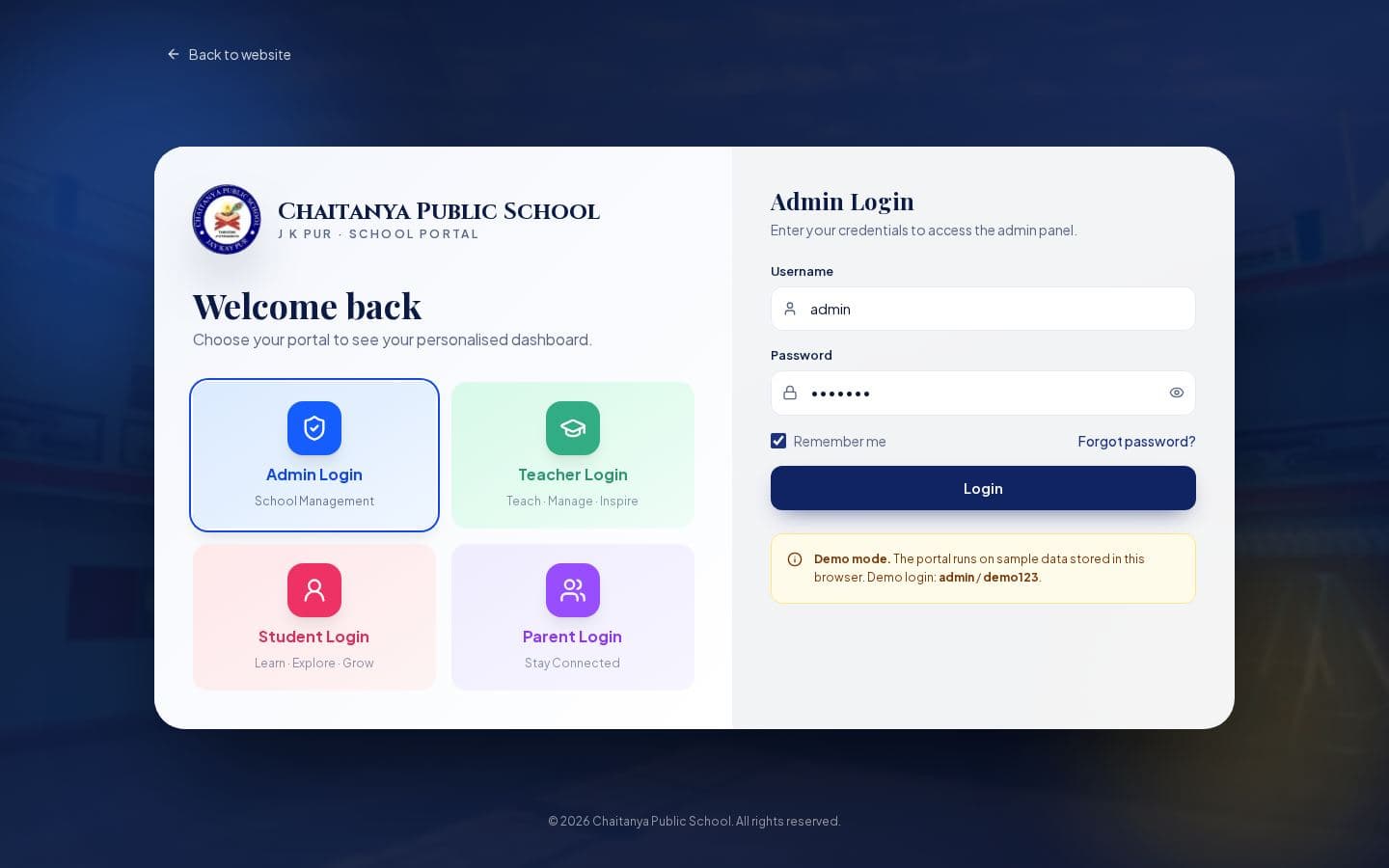
- Admin — school management.
- Teacher — teaching and class management.
- Student — learning and results.
- Parent — staying connected with their child's progress.
Built for parents on phones
Almost every parent will open this on a phone, and Google ranks pages on their mobile version too. So the layout is mobile-first, the site can be installed like an app, and the phone number and admission enquiry are always within thumb reach.
For search, the school's name, curriculum and exact address (Nehru Nagar, BC Road, J K Pur, Rayagada) are stated plainly in the page and in School structured data, so “CBSE school in J K Pur” and “Chaitanya Public School Rayagada” both lead to the right place — on Google and in AI answers.
Getting admissions enquiries from Google and Meta
A good site only helps if parents find it. Three low-cost steps make the biggest difference for a school:
- Claim and complete the school's Google Business Profile, so it shows on Maps with photos, hours and the website link.
- Run small Meta (Facebook and Instagram) ads in admission season with a lead form or a WhatsApp button, and keep the Meta Pixel on the site to measure enquiries.
- Create a LinkedIn Page for staff hiring and for parents who look the school up professionally.
Where the project stands
The public website is live in preview and the portal's login and role screens are in place. The school-management back end — records, fees, attendance and reports — is being built now. I'll update the case study as each part goes live.
Frequently Asked Questions
What is a school portal?
A login area where admins, teachers, students and parents each see their own dashboard — classes, attendance, fees, results and notices — from the same set of student records.
Do we need a separate app for parents?
Not usually. A mobile-first web portal that can be installed on the home screen covers what most parents need, without app-store approvals or two codebases.
Where is Chaitanya Public School?
Nehru Nagar, BC Road, J K Pur, Rayagada, Odisha (765017). It follows the CBSE curriculum from Pre-Nursery onwards.
Key Takeaways
- Build the school website and portal on one student record so nothing is typed twice.
- Give each role — admin, teacher, student, parent — its own dashboard behind one login page.
- Design for parents on phones; Google indexes the mobile version first.
- Pair the site with a Google Business Profile and small, measured Meta campaigns in admission season.
Sources & further reading
- Mobile site and mobile-first indexing best practices — Google Search Central
- Organization structured data — Google Search Central
- School — Schema.org
- Add or claim your Business Profile on Google — Google Business Profile Help
- Learn about Meta Pixel — Meta Business Help Center
- Lead ads (Marketing API) — Meta for Developers
- Create a LinkedIn Page — LinkedIn Help
- Central Board of Secondary Education — CBSE
- Digital Personal Data Protection Act, 2023 — Wikipedia
Related work
Keep reading
Have a project that touches custom software?
Get in touch